
01
Natural-language database questions
Ask questions in everyday business language. Sentory generates SQL for supported relational databases.
Sentory combines natural-language database querying, SQL transparency, visual analysis and interactive dashboards in a customer-controlled environment.
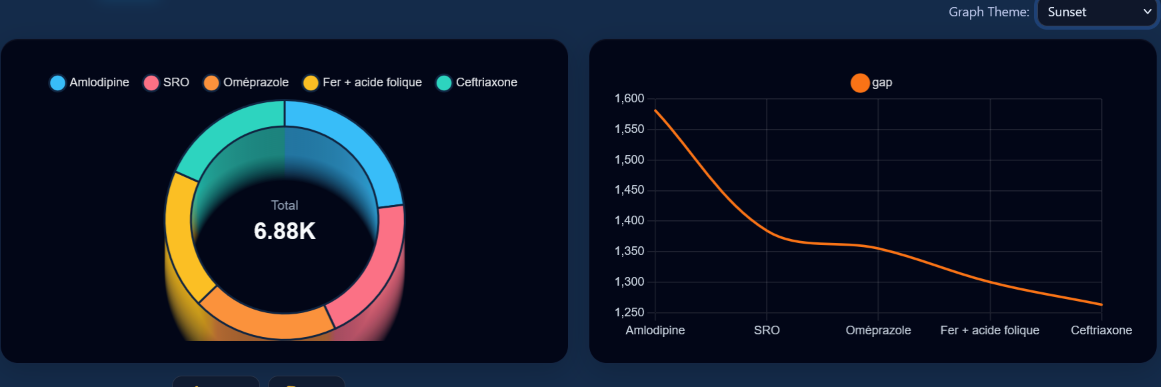
Explore a different healthcare analysis comparing prescription and dispensing volumes, then inspect results and investigate further.
Sentory's Database Question experience brings Results, Graph, and AI Insights into a connected workflow. SQL visibility and explanations support review and trust.
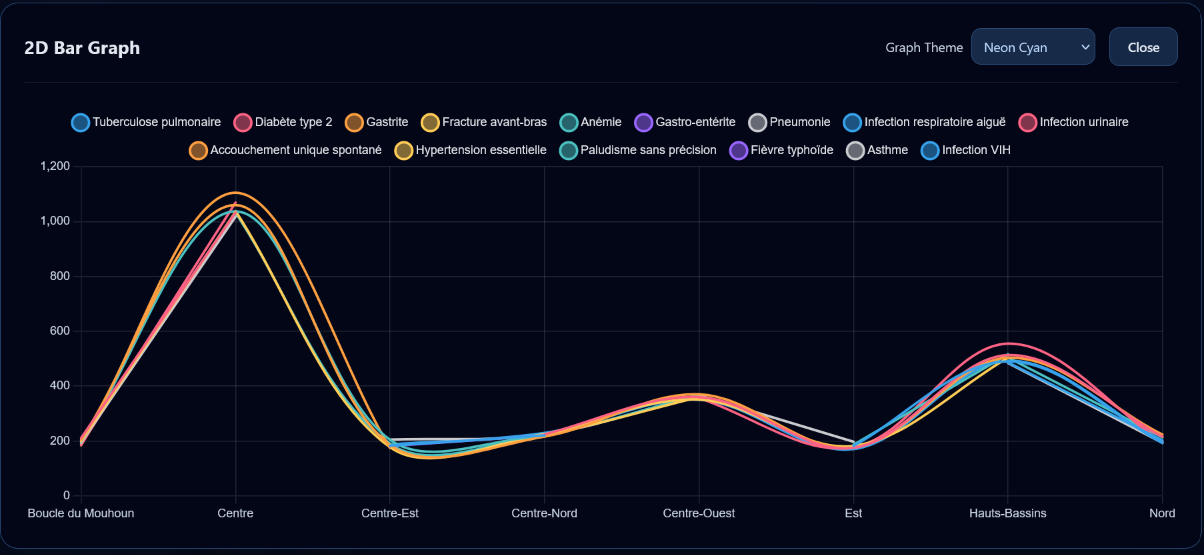
Expand a visualization to examine regional comparisons and trends in a focused view.
Review detailed, tabular answers to the same business question, with clear columns and pagination.

Select a point of interest to investigate a more focused view of the data—without losing the context of the original analysis.
Ask questions in everyday business language. Sentory generates SQL for supported relational databases.
Review result sets and inspect generated SQL rather than relying solely on a narrative answer.
Use charts and visualization controls to understand patterns, comparisons, and trends.
Read contextual interpretation alongside underlying data and visualizations.
Arrange analysis into dashboard tiles and explore different chart presentations.
Investigate detail behind summarized findings and export analyses to business document formats.
Sentory currently supports Oracle, Microsoft SQL Server, and MySQL. Deployment and integration are scoped to the organization's environment and access requirements.
Oracle Database
Microsoft SQL Server
MySQL
Connectivity and configuration are validated during technical scoping.